

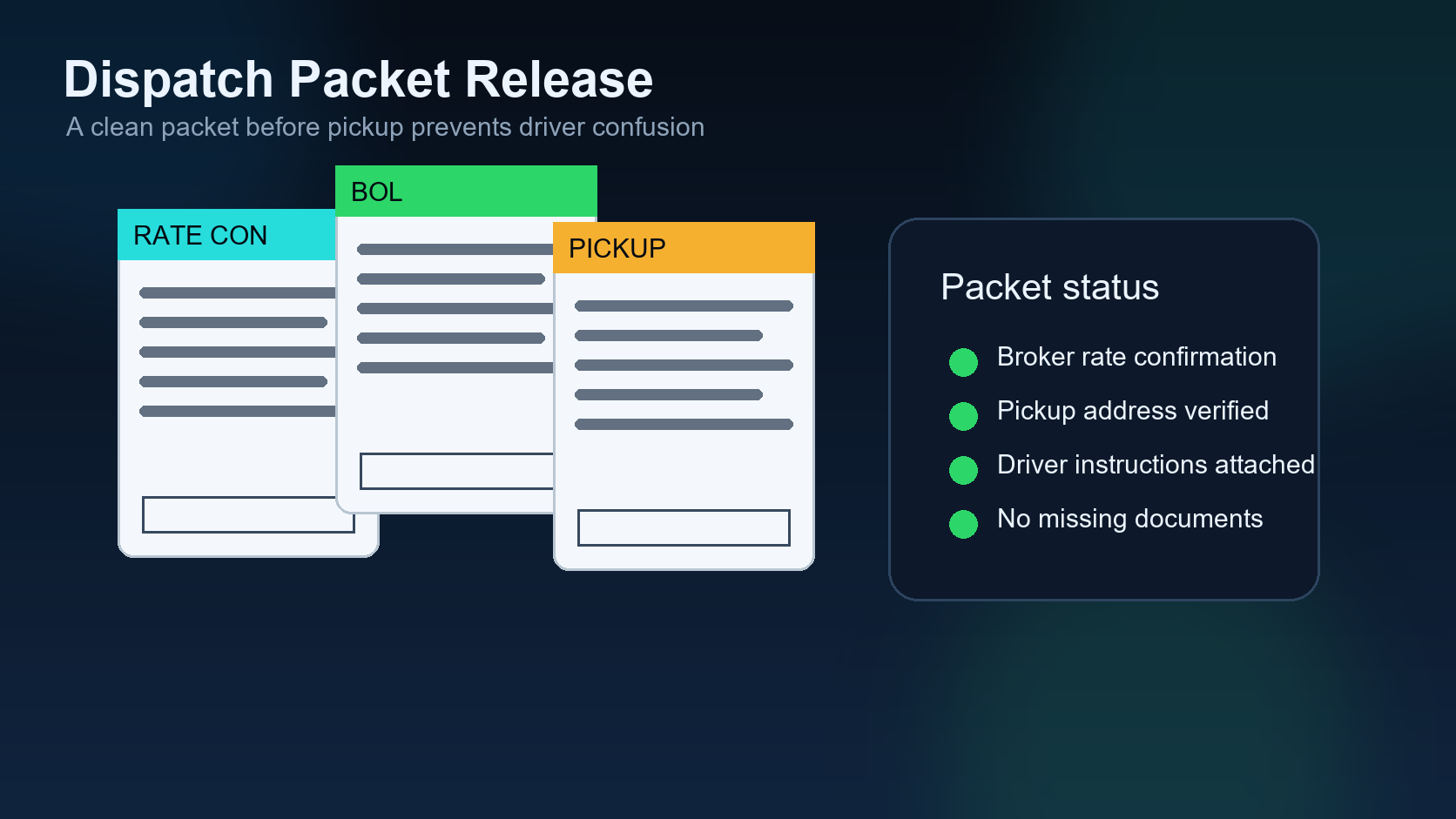
Dispatch packet release is one of the most important control points in truck dispatch. It is the point where the driver receives the information needed to move: pickup details, delivery instructions, rate confirmation, broker contact, load notes, and any documents required for the trip.
Previous article in the series: Driver YES Confirmation.
This sixth article in the DIINI AI series continues from Driver YES Confirmation. Once the driver has accepted the offer, the next question is whether the packet is truly ready to release.
A dispatch packet should not be treated like a simple attachment. It is a release of responsibility. If the packet is missing an appointment number, wrong pickup address, unclear commodity, or unverified rate, the driver may show up unprepared and the dispatcher will spend the rest of the day fixing a problem that could have been prevented.
1. Verify the rate confirmation
The rate confirmation should match what the dispatcher expects: load ID, rate, accessorial terms, pickup and delivery locations, commodity, weight, and broker details. A packet released before rate verification can create billing disputes later.
2. Confirm the driver YES is attached
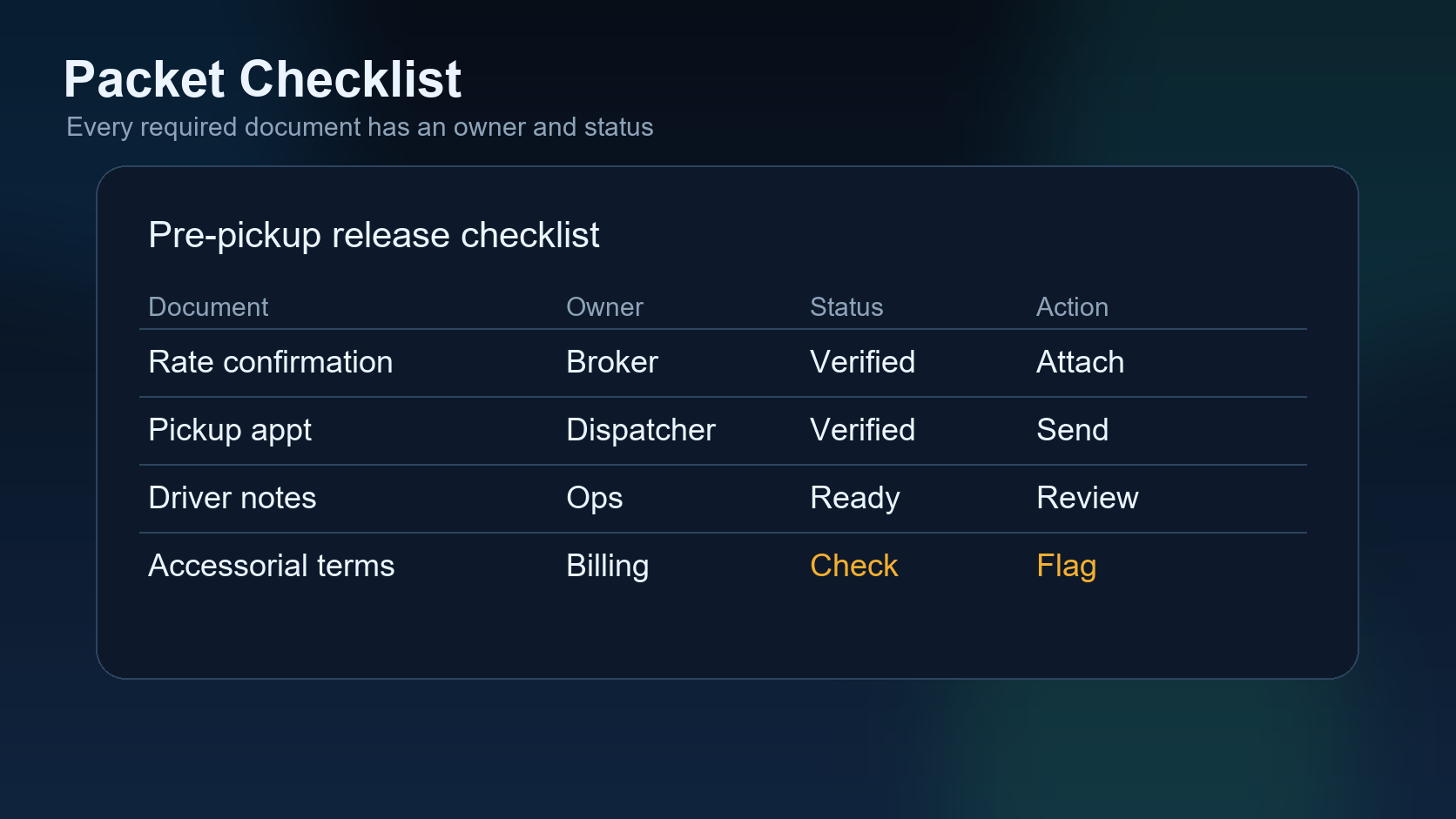
The system should show the driver acceptance next to the packet. If the driver has not confirmed, the packet should remain locked. This prevents a dispatcher from sending paperwork to a driver who is not actually committed to the load.
3. Check pickup details
Pickup instructions need more than a city and state. The driver needs facility name, address, appointment time, pickup number, contact phone, and any gate or check-in rules. If one of those fields is missing, the system should flag it before release.
4. Review delivery instructions
Delivery windows, consignee contacts, lumper requirements, and receiving rules affect the whole trip. AI can help summarize the delivery instructions, but the dispatcher should still review anything unusual before sending.
5. Keep insurance and compliance in view
If a load requires special coverage, trailer type, temperature control, or compliance documents, the packet should not hide that information. Dispatchers need those warnings in the same workflow, not buried in a separate spreadsheet.
6. Make the release auditable
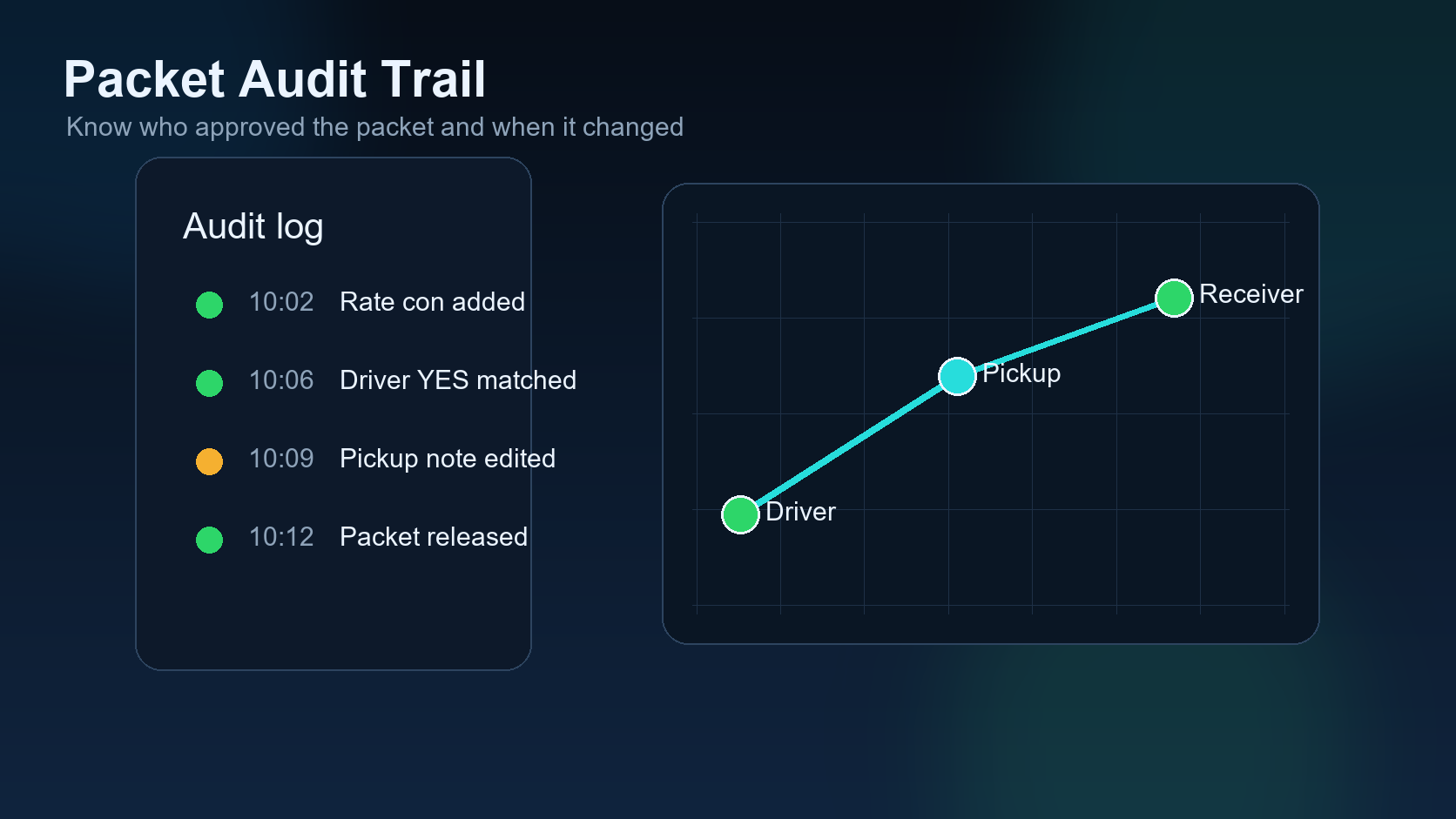
A good dispatch system records who released the packet, when it was released, and which version of the packet was sent. That audit trail matters when a broker says something was missing or a driver asks for clarification after pickup.
7. Separate preparation from release
AI can prepare a packet quickly, but preparation is not the same as release. The final release should require the guardrails to pass. That is how automation becomes useful without becoming risky.
What this means for carriers
The goal is not to slow dispatchers down. The goal is to stop preventable mistakes before the driver leaves. A clean packet release workflow saves calls, protects billing, and makes the next lifecycle step easier to manage.
Next, the series follows the load after release: pickup, delivery, and delay updates.
Field example: the packet looked complete, but pickup still failed
A dispatch packet can contain a rate confirmation and still be incomplete for the driver. Maybe the pickup number is buried in the broker email, the receiver requires a delivery appointment code, or the driver needs a specific reference at the gate. If the packet does not put the driver-facing details in one clear place, the dispatcher may lose time during pickup.
The goal is not to send more documents. The goal is to send the right information in the order the driver will need it.
Packet release table
| Packet part | Driver needs | Dispatcher check |
|---|---|---|
| Rate confirmation | Load terms and broker details. | Match rate, dates, pickup, delivery. |
| Pickup instructions | Address, appointment, pickup number. | Make gate instructions easy to find. |
| Delivery instructions | Receiver, appointment, reference. | Confirm delivery timing and requirements. |
| Communication rules | Tracking, check calls, delay process. | Tell the driver what updates are expected. |
FAQ
Should the packet be sent before driver confirmation? No. The safer sequence is load evaluation, driver assignment, driver YES confirmation, then packet release.
Related DIINI reading
Dispatcher takeaway: make the packet usable in the truck
The dispatcher may understand the rate confirmation, but the driver needs the packet in a different way. The driver needs the next action, the gate information, the pickup number, the appointment time, the broker contact, and what to do if something changes. A strong packet release process turns broker paperwork into driver instructions.
Mini FAQ
What should happen if the packet has conflicting details? Stop the release and clarify with the broker before the driver leaves. Conflicting pickup numbers, appointment times, or addresses create service failures later.
Should the dispatcher send screenshots or clean documents? Clean documents are better. Screenshots can work in emergencies, but final dispatch records should keep the actual rate confirmation and required instructions in a searchable place.